
The format, the sections, the success metrics, the way you structure technical requirements. Two hours of context-setting before you can even start writing. Next week, you'll do it again. Different features. Same format. Same explanation. Same two hours.
This is the signal. Not that you need better prompts. Not that you need more detailed instructions. That you need infrastructure.
Skills transform repeated explanations into persistent frameworks. Not for everything. Not for one-off tasks. For the workflows you execute repeatedly, where consistency matters and quality has standards.
The question isn't whether skills are powerful. They demonstrably are. The question is when that power applies to your specific situation. When building a skill makes sense versus when you're over-engineering a simple task. Understanding this distinction prevents wasted effort while capturing genuine efficiency gains.
Infrastructure vs. Conversation Divide
Understanding what distinguishes skills from other AI capabilities
Before deciding whether you need a skill, understanding what distinguishes skills from other AI capabilities clarifies when they help. Most AI platforms now offer multiple ways to provide context: conversation history, project knowledge bases, custom instructions, and skills.
| Feature | Conversation | Projects | Custom Instructions | Skills |
|---|---|---|---|---|
| Persistence | Single session | Project-scoped | Universal | Universal |
| Activation | Always on | Within project | Always on | On-demand |
| Purpose | Continuity | Context | Preferences | Workflow |
| Token Usage | Grows with chat | Always loaded | Always loaded | Only when needed |
Project memory says “we're working on the Q4 roadmap for the mobile app.” Skills say “here's exactly how we format all roadmaps at this company.” One provides context. The other provides a framework.
Custom instructions say “I prefer concise communication and bullet points.” Skills say “when writing product requirement documents, use this specific structure with these exact sections and these validation criteria.”
If it's about what you're working on, that's context. If it's about how you work, that's potentially a skill.
The Five Signals You Need a Skill
Patterns that indicate infrastructure would help more than prompting
Not every workflow needs a skill. Most don't. But certain patterns indicate infrastructure would help more than better prompting.
You're Repeating Yourself
Weekly newsletter with consistent structure? Monthly reports following standard format? Repetition reveals stable patterns.
- •Weekly tasks: definitely needs a skill
- •Monthly tasks: might need a skill
- •Quarterly tasks: probably doesn't
- •One-off tasks: definitely doesn't
Team Consistency Matters
When multiple people produce the same type of output, standardization becomes valuable.
- •Five PMs writing PRDs in five different formats
- •Marketing teams needing consistent brand voice
- •Engineering teams following doc standards
Specific Processes or Guidelines
Company writing style? Brand voice? Regulatory compliance? These aren't suggestions—they're requirements.
- •External communications (brand consistency)
- •Technical documentation (standard formats)
- •Compliance-sensitive content
High and Consistent Quality Bar
Executive communications. Customer-facing content. Any workflow where output quality matters and format is predictable.
- •Executive presentations
- •Partner communications
- •Product specifications
💡Signal Five: Context Setup Takes Longer Than Work
The clearest signal is when explaining what you need consumes more time than the AI actually producing it. If you spend 30 minutes setting up context for a task that takes 10 minutes to execute, the ratio is wrong.
Calculate rough ROI:
Time to build skill / (Time saved per use × Expected uses)
If < 1, build the skill. If > 5, just prompt.
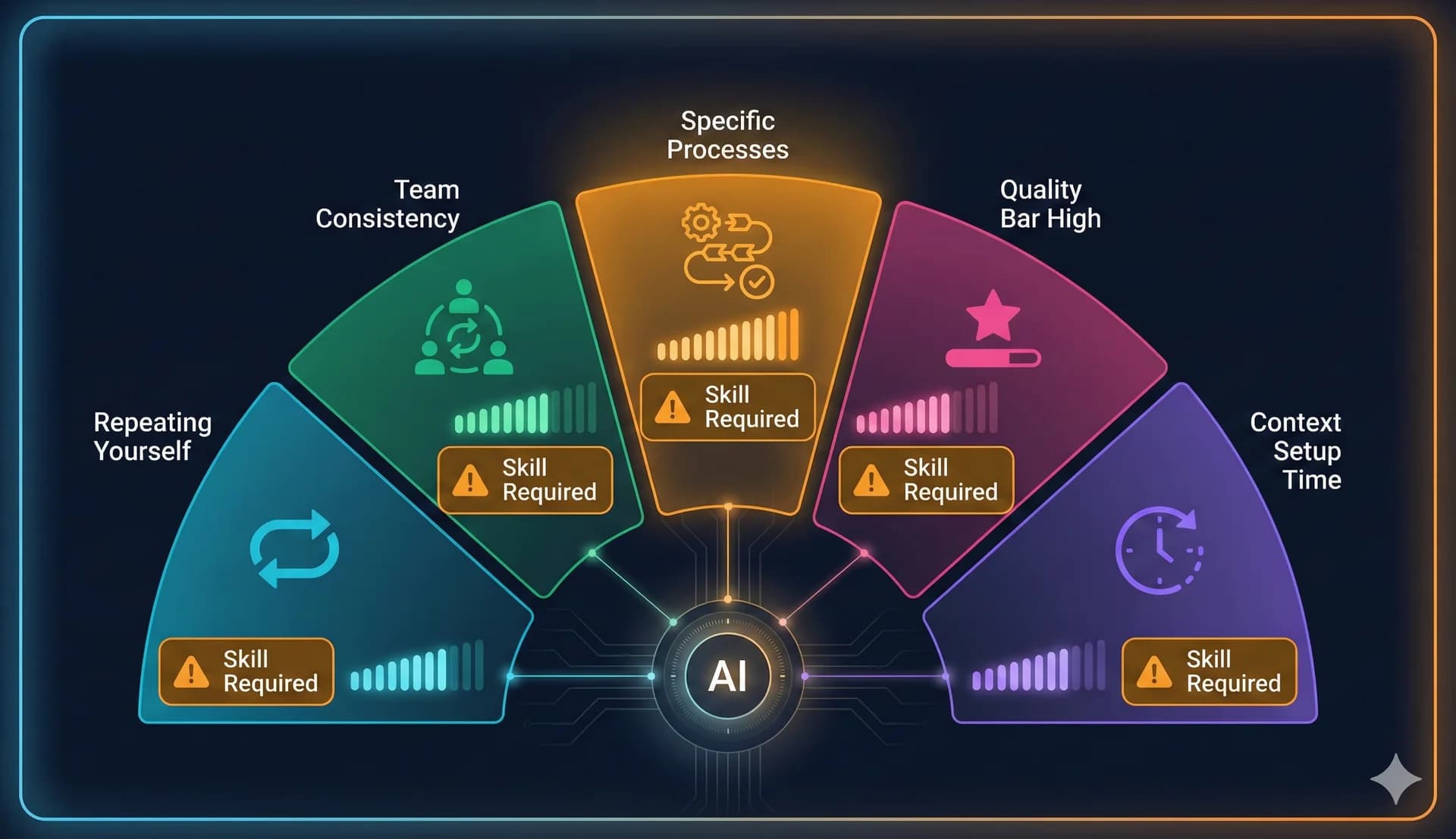
Skills front-load context setup once. Then every subsequent execution just works without re-explanation. The time investment makes sense when you'll use the skill repeatedly.
When Skills Are the Wrong Answer
Understanding when not to build prevents wasted effort
Understanding when not to build skills prevents wasted effort on infrastructure you'll never use.
1One-Off Tasks Don't Need Infrastructure
Exploring a new idea? Researching an unfamiliar topic? Brainstorming possibilities? A good prompt is faster than building infrastructure you'll use once.
The one-off test: Will I do this exact thing again? If no, just prompt.
2Highly Variable Requests Resist Standardization
If every instance requires completely different instructions or context, a skill won't help. Skills work best when there's repeatable structure underneath variable content.
Variable test: Would 60%+ of instructions be identical across instances?
3Still Figuring Out Your Process
Don't jump into building a skill until you know your process works. Skills are flashy, but unless you've figured out the workflow, don't start formalizing it.
Maturity test: Have I done this successfully at least 5 times using prompts?
4Speed Matters More Than Consistency
Sometimes you just need a quick answer and formatting doesn't matter. Researching background? Exploring pros and cons? Don't over-engineer it.
Skills add overhead. For speed-priority tasks, skip the skill.
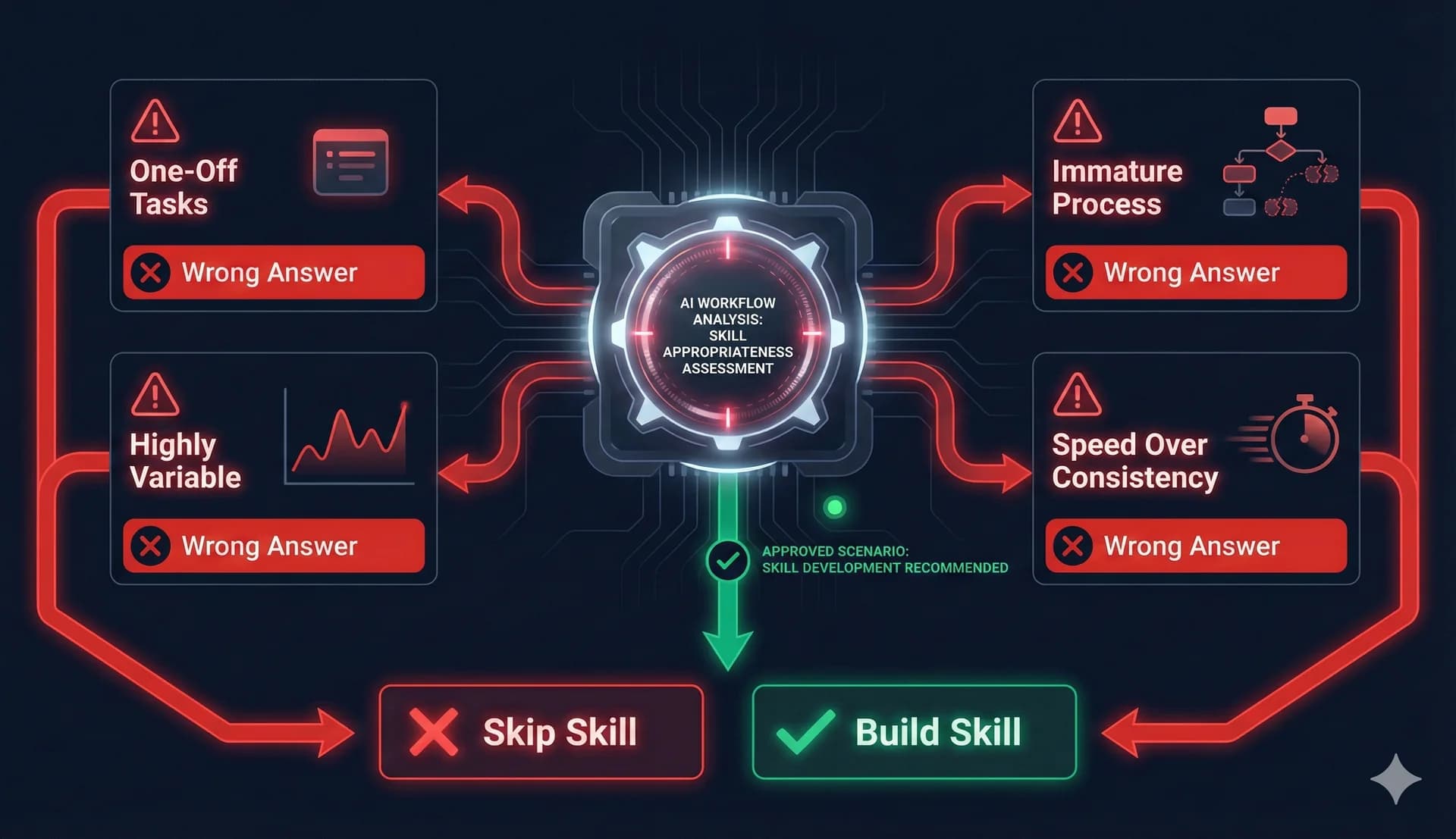
Prompts get you results. Memory gives you continuity. Skills build infrastructure. Choose based on your actual needs, not the flashiest option.
The Decision Matrix in Practice
Concrete examples showing when skills help versus when they're overkill
Translating signals into decisions requires concrete examples showing when skills help versus when they're overkill.
Clear Skill Candidates
- •Weekly newsletter following consistent structure (52x/year)
- •PRDs at a company with standardized format
- •Customer support responses following brand voice
- •Monthly executive reports with fixed structure
Clear Non-Skill Candidates
- •Researching emerging tech for one-time decisions
- •Brainstorming session for new product directions
- •Quick Slack question about industry trends
- •Exploring potential partnerships with specific companies
🤔Gray Area Situations
Writing technical documentation for internal tools
Follows standards but each tool is different. Might benefit from a light skill defining standards while allowing flexibility.
Quarterly business reviews
Happens 4x/year. Frequent enough to consider, infrequent enough that building might not pay off.
Content for different social platforms
Regular posting suggests skills, but different platforms need different approaches. Consider multiple platform-specific skills.
The gray area test: Is the stable structure substantial enough to justify formalizing? If uncertain, wait until you've done it a few more times to see if a clear pattern emerges.
The decision comes down to: is the stable structure substantial enough to justify formalizing? If yes, build. If uncertain, wait and observe.
Building Skills That Actually Work
Ensuring the infrastructure actually helps
Once you've determined a workflow deserves a skill, building it effectively ensures the infrastructure actually helps.
Start with What Works
Extract your skill from successful prompts you've already used. Don't design in the abstract.
Document the Non-Obvious
Skip generic advice. Include specific guidance unique to your workflow: terminology, conventions, criteria.
Provide Concrete Examples
Don't say 'use professional tone.' Show an example of what professional means in your context.
Keep It Maintainable
Organize logically with clear sections. Each instruction should earn its place by improving outcomes.
Test Before Relying
Test with real tasks before depending on it. Does it produce outputs matching your quality standards?
Avoid Unnecessary Length
Longer isn't better. Clear and complete is better. Focus on what actually improves results.
Don't design your ideal process in the abstract. Extract your skill from successful prompts you've already used. This grounds the skill in reality rather than theory.
Skills need updates as your processes evolve. Design for maintainability from the start with clear organization and consistent formatting.
Skills in the Bigger Workflow Picture
Understanding where skills fit in your overall AI usage
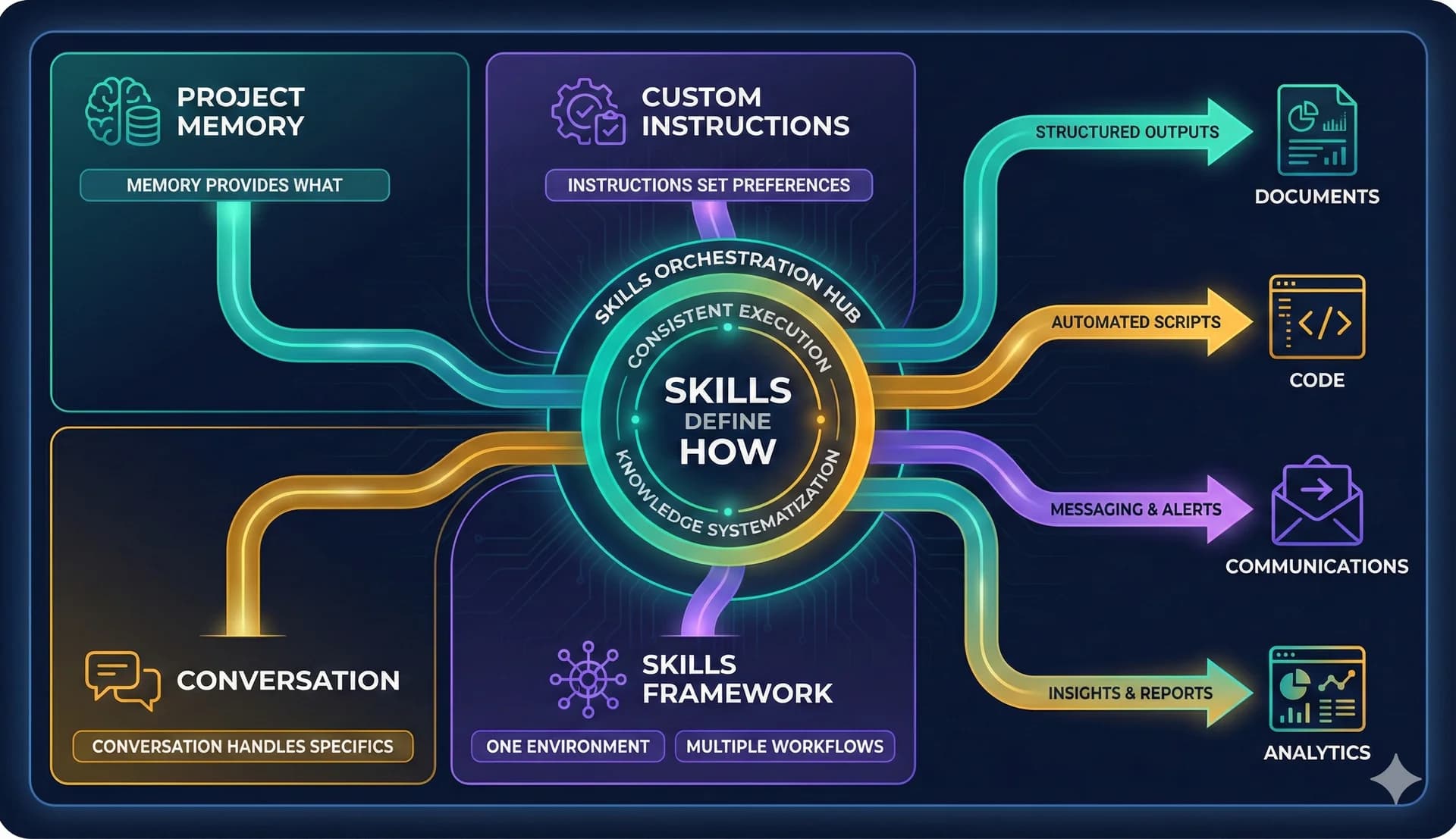
Skills work best as part of an integrated approach combining multiple AI capabilities. Skills define how. Project memory provides what. Custom instructions set general preferences. Conversation handles specifics.
For product managers specifically, skills integrate naturally into development workflows. Using coding-capable AI tools, you can work in a single environment handling multiple output types.
🎯The Unified Workflow Vision
The same workspace that writes code can write PRDs, create technical documentation, analyze user data, draft stakeholder communications, plan marketing campaigns, generate weekly updates—all following skills defining how each should be done.
This consolidation reduces context switching. You're not jumping between Google Docs for writing, Figma for design, Jira for planning, Slack for communication. One environment, multiple workflows, consistent execution through skills.
The Real Value Proposition
Beyond pure time savings
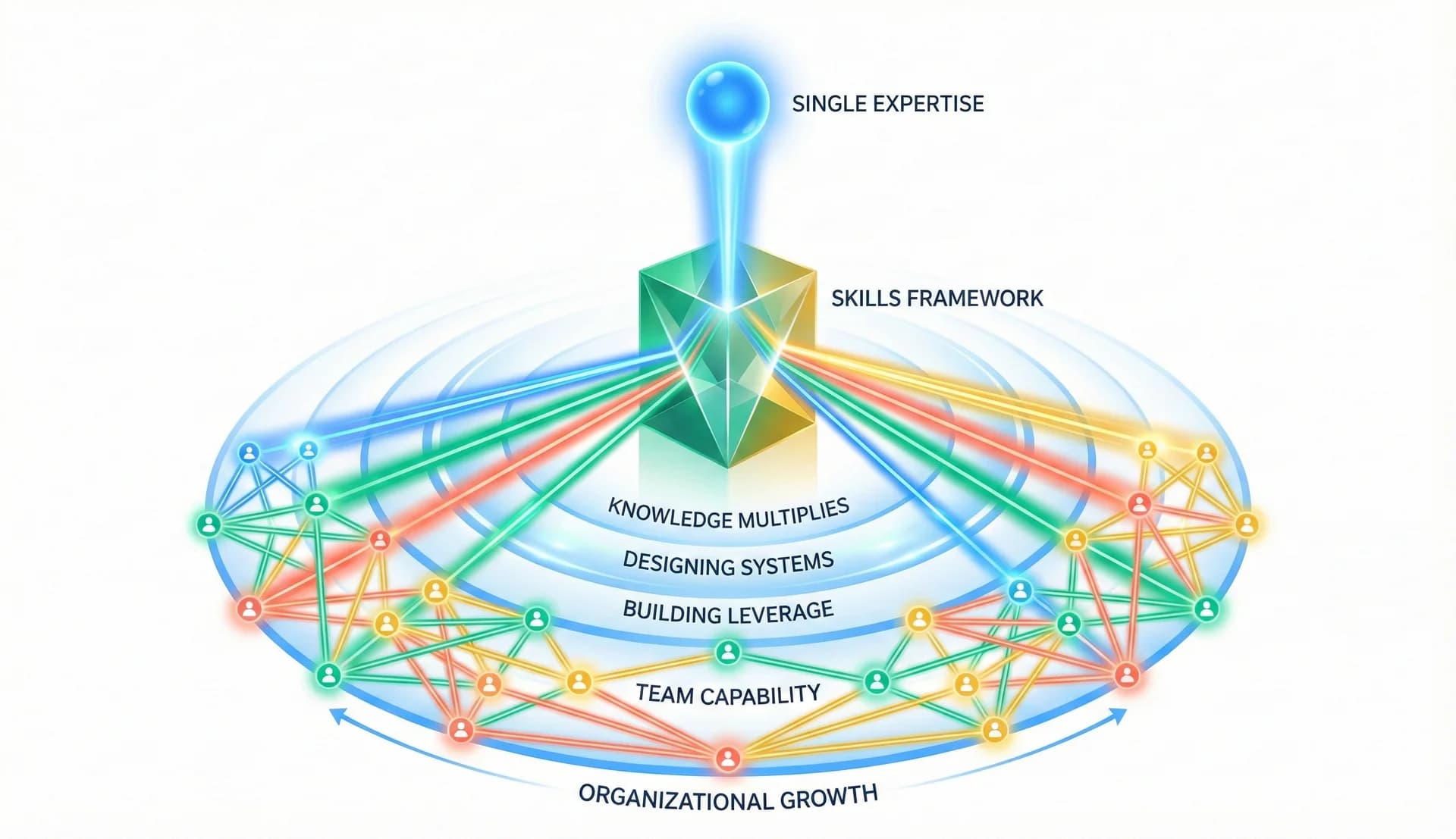
Skills transform tacit knowledge into explicit systems. This matters more than pure time savings.
When your process exists only in your head or scattered across past conversations, that knowledge is fragile. It varies based on memory. It degrades over time. It can't transfer to others without extensive explanation.
Transferable
New team members can use skills immediately
Scalable
Your expertise multiplies rather than executing once
Leverage
Less executing, more designing how work gets done
This shifts your role from executing work to designing how work gets executed. Less time spent writing, more time spent deciding what good writing looks like. That shift represents leverage. Your expertise multiplies rather than just executing once.
The repetition test is simple:
If you've explained it three times, it's a pattern.
Five times confirms it. Ten times means you should have built the skill weeks ago.
Share this article
Help others discover this content.
Written by the 10X Team
Building the future of AI-powered workflows. We help teams package their expertise into skills that scale.
Explore our skills libraryReady to Transform Your Workflows?
Explore our library of AI skills and start building more efficient processes today.
Explore Skills