Google Ads Analysis for Growth Teams
Decide whether Google Ads performance is constrained by conversion tracking, search-term quality, budget pacing, campaign structure, value signals, or Shopping revenue evidence before changing spend.
Decide whether Google Ads performance is constrained by conversion tracking, search-term quality, budget pacing, campaign structure, value signals, or Shopping revenue evidence before changing spend.
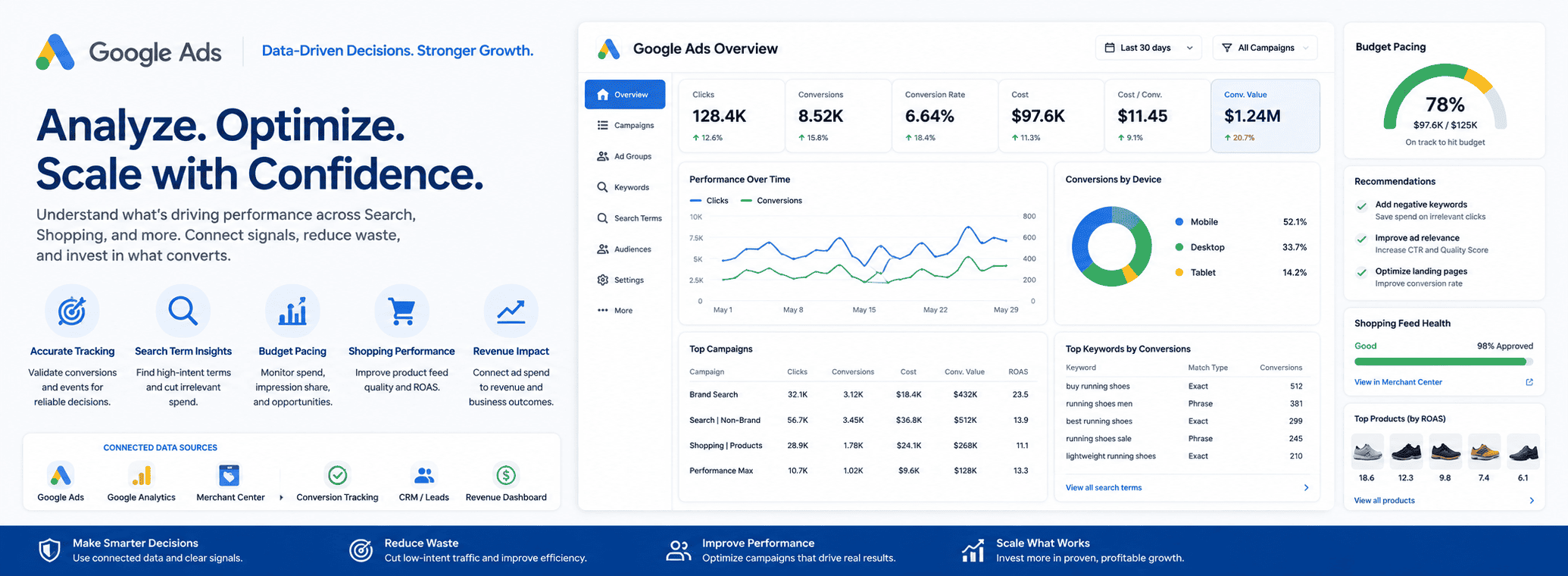
Three steps to a confident decision
Understand which business situation this page was built for and confirm it matches your current context.
Go item by item — each check has a clear pass/hold condition so you know exactly what qualifies.
Use the growth decision statement and analyst questions to brief your team and move forward with confidence.
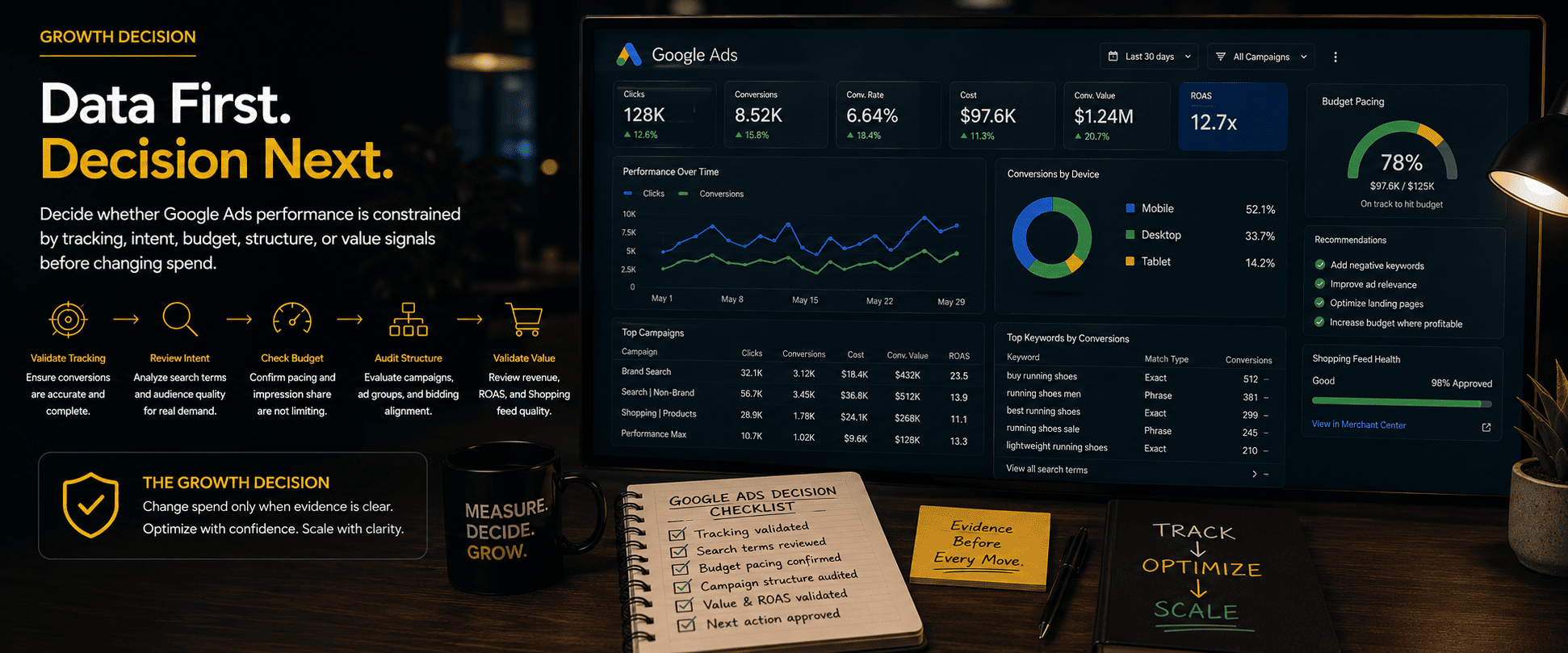
Google Ads Analysis for Growth Teams
Decide whether Google Ads performance is constrained by conversion tracking, search-term quality, budget pacing, campaign structure, value signals, or Shopping revenue evidence before changing spend.
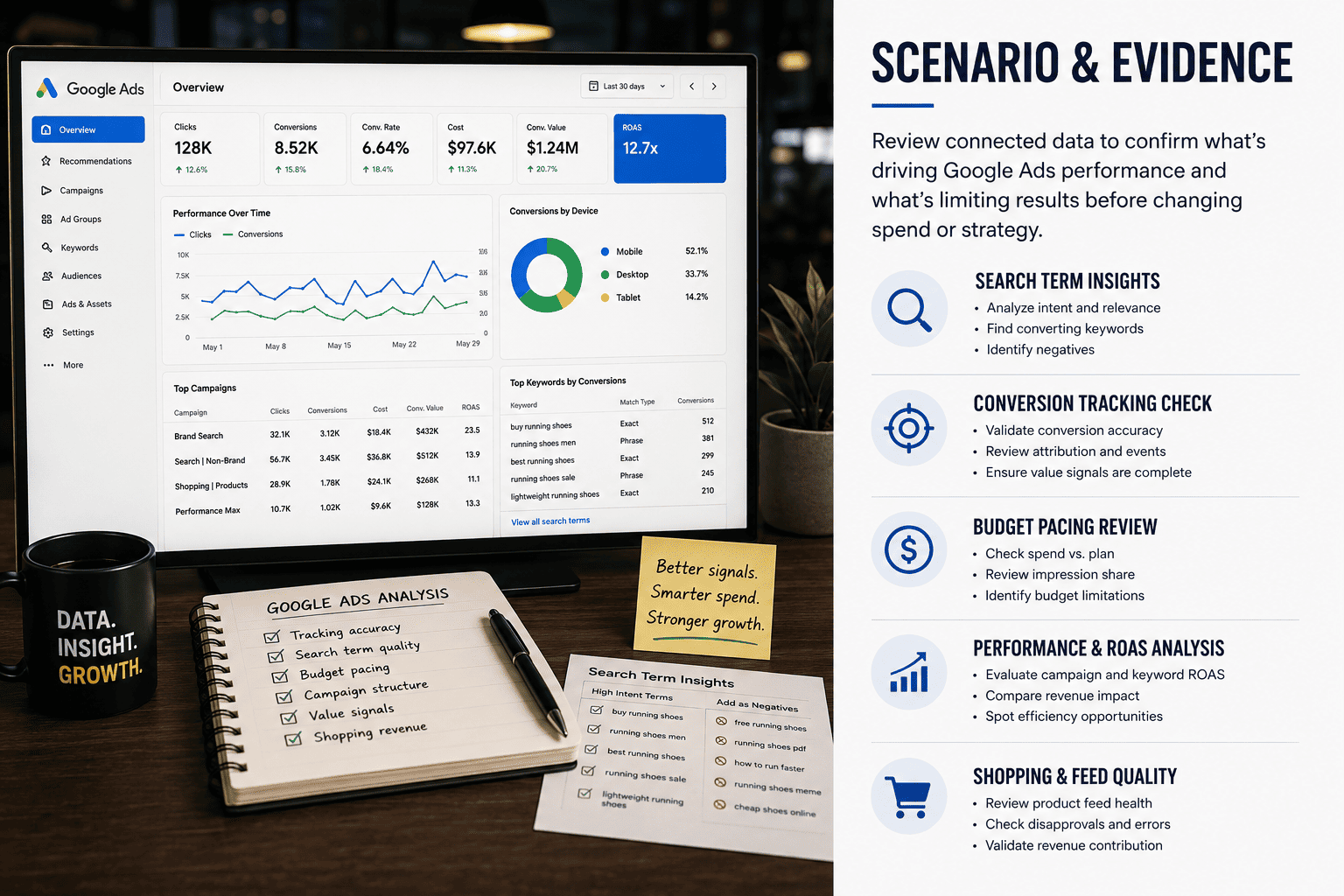
What this page helps a team decide
Decide whether Google Ads performance is constrained by conversion tracking, search-term quality, budget pacing, campaign structure, value signals, or Shopping revenue evidence before changing spend.
- Related reports and decision memos
- Workflow and checklist pages
- Connected marketing evidence
What analysts ask before deciding
What decision should the marketer make first for google ads analysis: approve, hold, or investigate?
Which connected source would make the google ads analysis recommendation trustworthy enough to change the next marketing action?
What caveat should stay visible before spend, content, reporting, or workflow changes?
Who owns the next approved action, and what stays on hold if evidence is incomplete?
What usually goes wrong
- The marketer treats google ads analysis as a channel tactic before checking which source should drive the decision.
- The team changes spend, page, workflow, or reporting language before the evidence owner has accepted the caveat.
What 10x.in checks
- OpenAnalyst compares the hub's reports, workflows, and checklists to find the strongest decision input.
- OpenAnalyst keeps the approval caveat attached to the recommendation until the marketer can name the owner and next action.
Review google ads analysis signals, name the caveat, and draft one recommendation the marketer can approve, hold, or assign.
FAQ
What should the reviewer approve after the checklist?
For Google Ads Analysis for Growth Teams, the reviewer should approve only the next step tied to evidence coverage. If the required evidence for evidence coverage is not visible, the output should be a hold note.
Can OpenAnalyst make the change automatically?
No. For Google Ads Analysis for Growth Teams, OpenAnalyst can draft the recommendation or follow-up, but execution stays approval-gated.
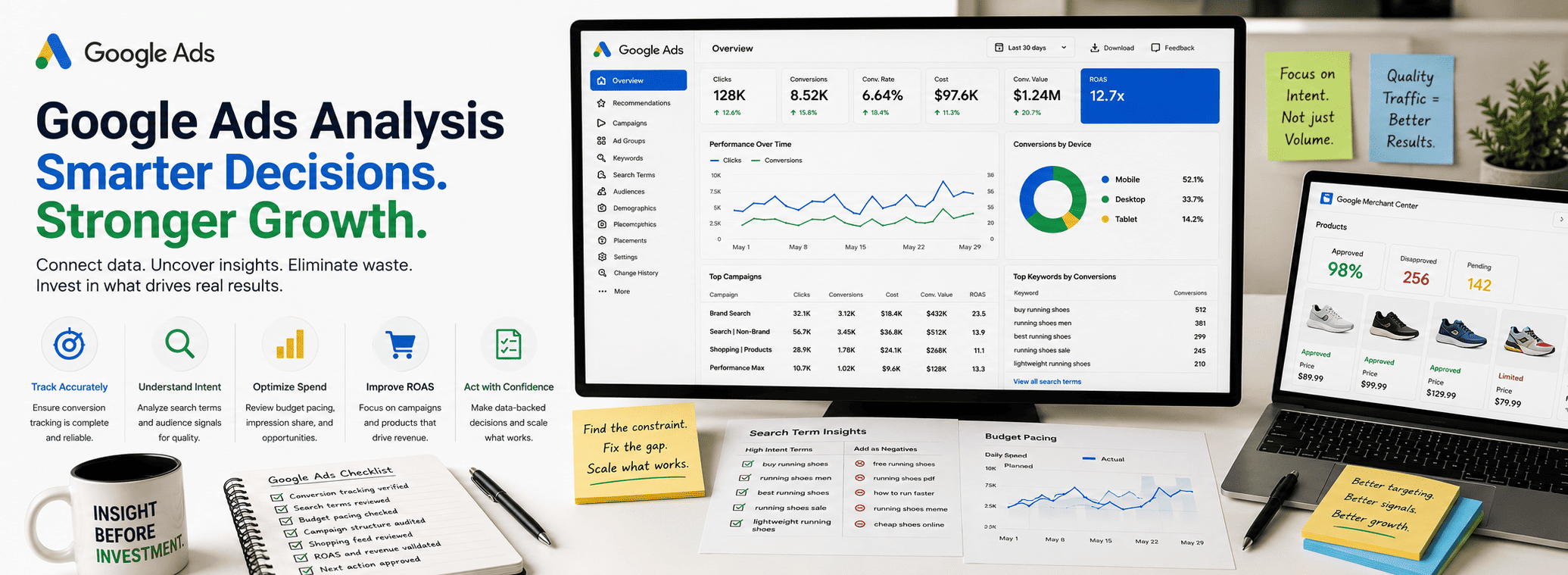
Google Ads Analysis for Growth Teams
Google Ads can drive efficient growth when teams understand what is actually limiting performance. But campaign results become hard to interpret when several signals move at once. Search terms change, conversion tracking shifts, CPC rises, budgets cap early, product feeds update, and landing-page behavior starts affecting ad efficiency.
Google Ads Analysis helps growth teams decide whether performance is constrained by conversion tracking, search-term quality, budget pacing, campaign structure, value signals, or Shopping revenue evidence before changing spend. The goal is not to read dashboards in isolation. The goal is to identify which evidence source should drive the next marketing action.
Before increasing budget, changing bids, restructuring campaigns, or rewriting reporting language, the marketer should know what is approved, what remains caveated, and who owns the next step.
What This Analysis Decides
The core decision is whether the team should approve, hold, or investigate a Google Ads recommendation. A paid media issue may look like a campaign problem when the real constraint is tracking, landing-page quality, Merchant Center data, CRM lead quality, or revenue attribution.
- Approve: Evidence is strong enough to support the next campaign, budget, creative, or reporting action.
- Hold: A missing source or caveat could change the recommendation.
- Investigate: Signals are mixed, and the team needs deeper tracking, search-term, feed, revenue, or CRM review.
- Assign: The recommendation is valid, but another owner controls the evidence or next action.
This prevents the team from treating Google Ads analysis as a channel tactic before checking which connected source should drive the decision.
Validate Conversion Tracking First
Conversion tracking should be reviewed before any spend decision. If conversions are duplicated, delayed, missing, or mapped to low-intent actions, campaign performance becomes unreliable. The team may optimize toward activity that does not represent business value.
- Primary conversion actions are correctly defined.
- Enhanced conversions are configured and checked.
- Google Analytics and Google Ads attribution are understood.
- Lead events are separated from qualified lead or revenue events.
- Purchase value, currency, and transaction data are accurate.
- Offline conversion imports connect to CRM or revenue outcomes where needed.
If conversion tracking is not trusted, the output should be a hold note. Changing spend before tracking is validated can make the next decision look safer than the evidence allows.
Review Search-Term Quality
Search-term quality shows whether the campaign is reaching people with the right intent. A campaign can spend efficiently and still attract low-quality traffic. Another campaign may have fewer clicks but stronger commercial intent, better lead quality, or higher revenue value.
- Identify irrelevant high-volume queries.
- Check whether search terms match the intended buyer stage.
- Review negative keyword opportunities.
- Separate brand, competitor, research, and purchase-intent terms.
- Compare high-converting exact matches with broad or phrase match traffic.
- Check whether search-term movement explains performance changes.
If search-term quality is weak, the next action may be query cleanup, match-type review, negative keyword work, or campaign segmentation before budget increases.
Check Budget Pacing And Campaign Structure
Budget pacing can make performance look better or worse than it is. A campaign may be constrained by budget and lose impression share during valuable hours. Another may spend too quickly on weak queries or low-quality segments. The reviewer should check whether budget movement is supported by quality and efficiency context.
- Daily pacing and spend distribution are stable.
- Budget lost impression share is connected to conversion quality.
- Device, location, and time-of-day performance are reviewed.
- Campaign and ad group structure match the decision being made.
- Bidding strategy aligns with conversion quality and value signals.
- Audience layering or segmentation does not create reporting noise.
Poor campaign structure can hide the real constraint. If search intent, audience, product, or bidding strategy are mixed inside one campaign, the team may not know which lever should change next.
Inspect Merchant Center And Shopping Revenue Evidence
For ecommerce teams, Shopping and Performance Max results often depend on feed quality and product economics. A campaign can underperform because product titles, attributes, categories, availability, pricing, or feed approvals are weak. In that case, increasing spend will not fix the underlying constraint.
- Feed disapprovals and warnings are reviewed.
- Product titles, categories, attributes, and availability are accurate.
- Price and landing-page data match the feed.
- Shopping revenue is compared with Shopify or ecommerce order data.
- Average order value, margin, refunds, and product mix are visible.
- High-spend products are checked for business-quality revenue.
Shopping performance should not be judged only by platform ROAS. The team should compare ad data with order quality and revenue evidence before approving spend movement.
Connect Google Ads To Revenue And CRM Quality
Clicks and conversions are not enough. Growth teams need to know whether Google Ads creates qualified revenue, healthy orders, or useful pipeline. For lead-generation campaigns, CRM lead data can show whether conversion volume is turning into qualified opportunities. For ecommerce campaigns, revenue systems can confirm whether sales are profitable and durable.
- CRM records show lead quality, lifecycle stage, and pipeline movement.
- Revenue dashboards confirm actual business value.
- Google Analytics shows landing behavior and assisted conversion paths.
- Merchant Center and ecommerce data explain product-level outcomes.
- Budget pacing reports show whether spend changes are operationally justified.
If connected marketing evidence is incomplete, the recommendation should remain caveated. A strong Google Ads recommendation names the source that supports the next action and the source that is still missing.
Common Failure Modes
- Scaling budget before validating conversion tracking.
- Reacting to CPC or CPA movement without checking search-term quality.
- Optimizing top-line ROAS while ignoring margin, refunds, or lead quality.
- Changing campaign structure before identifying the real constraint.
- Ignoring Merchant Center feed problems in Shopping performance.
- Changing spend, reporting, or workflow language before the evidence owner accepts the caveat.
Final Decision Rule
Google Ads performance becomes actionable when the team connects platform data with tracking, search intent, campaign structure, feed quality, CRM context, and revenue evidence. The next recommendation should be approved only when the supporting evidence is visible and the owner is named.
If the evidence is incomplete, the output should be a hold note or investigation plan. The best Google Ads analysis does not ask only whether performance is up or down. It asks which constraint is limiting growth and which approved action should happen next.